O’Hare Airport Pickup and Drop-Off Guide for Rideshare Drivers
Afzaal Zeb ·
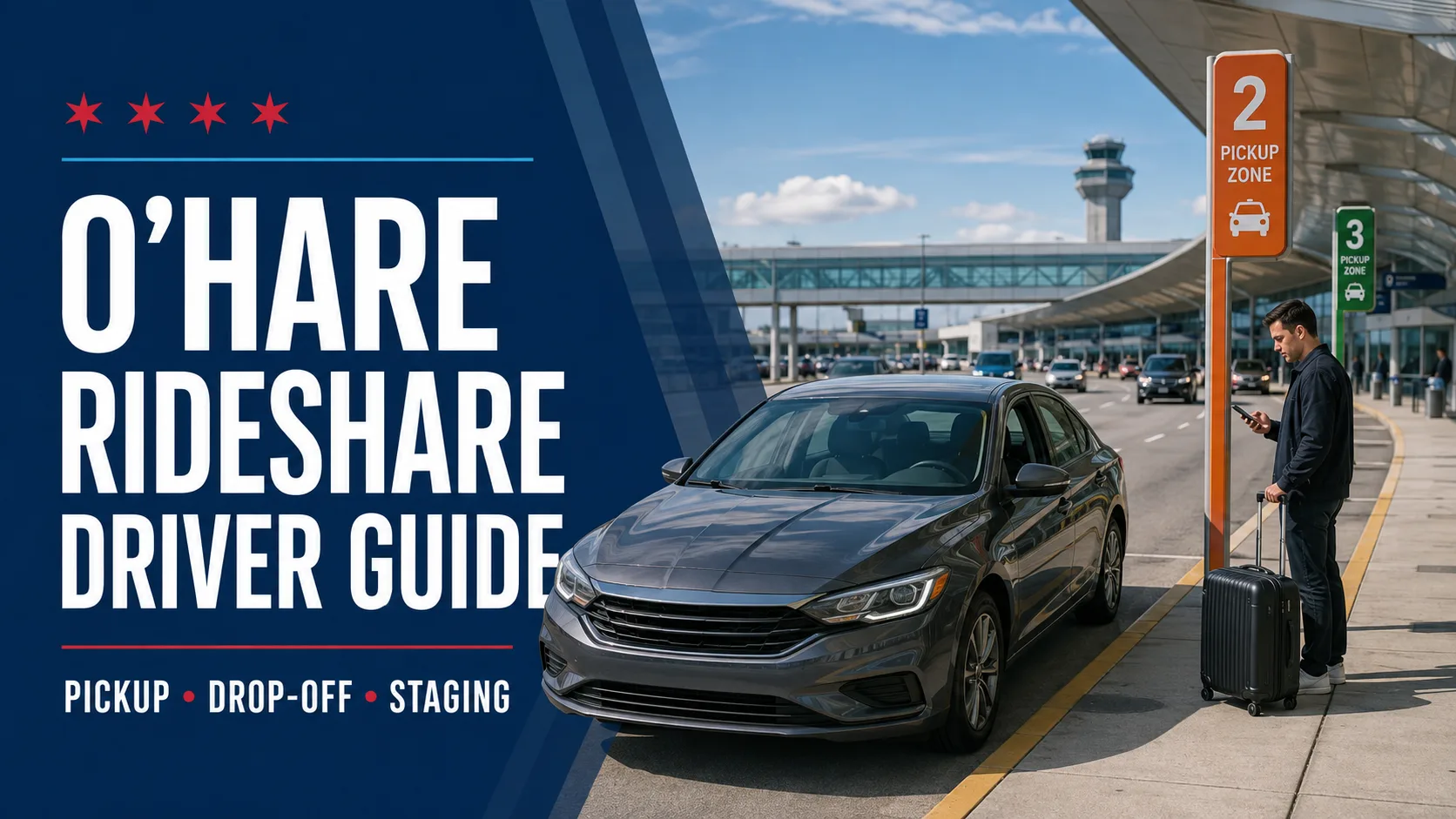
O’Hare trips can be valuable for Chicago rideshare drivers, but airport pickups operate differently from ordinary requests. Drivers cannot select their own waiting or loading locations, and passengers arriving at certain terminals must travel to a designated rideshare zone.
This guide explains the basic O’Hare pickup and drop-off process for drivers working through licensed transportation network providers such as Uber and Lyft.
Airport and rideshare-platform procedures can change. This guide reflects official information available in August 2026. Always follow the current instructions in your driver application, airport signs and directions from authorized personnel.
Before Accepting O’Hare Trips
A rideshare driver operating at O’Hare must be properly affiliated with a licensed transportation network provider and satisfy the platform’s current driver, vehicle and airport requirements.
Before beginning airport work, confirm that:
Your driver account is active.
Your vehicle is approved for airport trips.
Required permits, emblems and documents are current.
Your license plate matches the app.
Your phone has sufficient battery power.
Your app and navigation software are updated.
Your trunk has room for passenger luggage.
The City of Chicago provides current regulatory information through its Transportation Network Providers page (opens in a new tab).
Use the Designated Rideshare Staging Area
Do not wait for requests on airport shoulders, ramps, terminal roadways, private property or unauthorized parking areas.
Follow your rideshare app to the current airport staging area. The platform may use a digital queue to determine which drivers receive trip requests.
Entering the airport without a valid request or leaving the approved staging area may affect your place in the queue. Platform rules vary, so rely on the current instructions displayed in your driver app.
O’Hare Rideshare Pickup Locations
As of August 2026, O’Hare identifies rideshare loading zones at Terminals 2 and 3.
Terminal 2 Pickup
Terminal 2 rideshare pickups take place on the upper level. The pickup poles have orange signs marked:
2A
2B
2C
2D
2E
2F
2G
An indoor passenger waiting area is available between vestibules 2A and 2D.
Terminal 3 Pickup
Terminal 3 rideshare pickups also take place on the upper level. The poles have green signs marked:
3G
3H
3J
3K
The rideshare application should provide the assigned terminal and zone. Confirm that information with the passenger before entering the loading area.
Passengers Arriving at Terminals 1 and 5
Passengers arriving at Terminals 1 or 5 must reach a designated rideshare pickup area at Terminal 2 or Terminal 3.
Drivers should not attempt an unauthorized rideshare pickup at Terminal 1 or Terminal 5 simply because the passenger requests it.
Ask the passenger to follow airport rideshare signs and the directions shown in the passenger app. The official O’Hare taxi, limousine and rideshare page (opens in a new tab) lists the current loading zones.
Contact the Passenger Before Entering the Zone
Airport loading areas move quickly. Before leaving staging, confirm:
Passenger’s name
Assigned terminal
Pickup pole
Number of passengers
Approximate amount of luggage
Whether a child safety seat is required and available
Any accessibility information voluntarily provided by the passenger
A simple message can prevent a missed connection:
I’m approaching the O’Hare rideshare area. Please confirm the terminal and letter-number shown on your nearest pickup sign.
Do not encourage a passenger to cross active traffic lanes or wait in an unauthorized area.
Verify the Correct Rider
Several passengers may be waiting for similar vehicles. Use the safety-verification procedures provided by your platform.
Before starting the trip:
Confirm the passenger’s name.
Ask the passenger to confirm the driver’s name.
Check the destination shown in the app.
Make sure the passenger enters the correct vehicle.
Do not begin the trip until luggage is secure.
Keep the Pickup Efficient
When approaching the assigned pole:
Move into the correct lane early.
Watch for pedestrians and other vehicles.
Stop only in the authorized loading space.
Activate the hazard lights when appropriate.
Load luggage without standing in an active lane.
Leave promptly after everyone is seated and belted.
If the passenger is not ready, follow app and airport instructions. Do not remain at the curb indefinitely.
O’Hare Rideshare Drop-Off
Rideshare drivers may drop departing passengers at the terminal assigned to their airline. Follow signs for Departures and the terminal shown in the passenger’s flight information.
Before reaching O’Hare, ask the passenger to confirm:
Airline
Departure terminal
Domestic or international flight
Number of bags
Any need for airline wheelchair assistance
Do not assume all international flights depart from Terminal 5. Verify the terminal through the airline.
Use the designated unloading location, keep the stop brief and never leave the vehicle unattended.
Airport Rematches and Queue Requests
After completing an airport drop-off, your rideshare app may offer another trip or direct you toward a staging area. Follow the platform’s instructions exactly.
Do not assume that every drop-off will produce an immediate pickup. Consider:
Estimated queue length
Passenger demand
Time of day
Fuel or charging needs
Travel time back toward the city
Your personal earnings target
Waiting a long time for an airport request does not automatically make the next trip profitable.
Common Mistakes Rideshare Drivers Should Avoid
Waiting outside the authorized staging area
Picking up at the wrong terminal
Entering the pickup zone before receiving instructions
Asking a Terminal 5 passenger to meet at an unauthorized curb
Blocking an active loading lane
Canceling without communicating with the passenger
Accepting an off-app cash ride
Allowing the wrong passenger into the vehicle
Handling the phone while driving
Ignoring airport or police directions
Track the True Cost of Airport Trips
An O’Hare trip should be evaluated using more than the fare displayed in the app.
Track:
Miles driven to the airport
Time spent in staging
Passenger-trip miles
Empty return miles
Tolls
Fuel or charging cost
Airport fees shown by the platform
Vehicle wear
Total time from start to finish
ChicagoDrivers.com (opens in a new tab) expense tracker can help drivers compare revenue with operating costs, while the Vehicle Maintenance Log can record the additional service generated by frequent airport driving.
Final Thoughts
Successful O’Hare rideshare trips depend on preparation and strict use of designated airport zones. Follow your driver app, confirm the pickup pole with the passenger and avoid unauthorized waiting areas.
Most importantly, do not substitute an old screenshot, online comment or personal shortcut for current airport and platform instructions.